
Every year, restaurants across the world lose over $100,000 in potential revenue. Not because of bad food. Not because of poor location. But because they miss calls, forget reservations, and lose customers to competitors who picked up the phone faster.
Here’s the brutal truth: in 2025, your customers don’t want to call you. They want to message you. And if you’re not there to reply instantly, they’ll order from the restaurant that is.
Enter WhatsApp automation for restaurants — the silent employee that never sleeps, never takes a break, and handles unlimited conversations simultaneously. While you focus on cooking great food, WhatsApp automation handles the business.
What is WhatsApp Automation for Restaurants?
WhatsApp automation uses AI-powered chatbots and workflow tools to handle customer conversations automatically. When a customer sends a WhatsApp message to your restaurant, the system instantly replies, takes orders, books tables, answers questions, and sends updates — 24/7, without human intervention.
Think of it as hiring a super-efficient team member who:
- Works 24 hours a day, 7 days a week
- Speaks multiple languages fluently
- Never forgets an order or reservation
- Handles 1,000 conversations as easily as 1
- Costs less than a single staff member’s daily wage
5 Ways Restaurants Use WhatsApp Automation
1. Taking Orders 24/7
Your kitchen might close at 10 PM, but hungry customers browse menus at midnight. With WhatsApp automation, customers can browse your menu, place orders, and schedule delivery or pickup — anytime, day or night.
The system shows your menu, answers questions about ingredients, suggests add-ons, confirms the order, and sends payment links. When you open in the morning, you already have orders lined up.
2. Table Reservations
No more missed calls during lunch rush. Customers message “Table for 4 tonight at 8 PM” and the system instantly checks availability, confirms the booking, and sends a reminder 2 hours before.
If the requested time is full, it suggests alternatives. If someone cancels, it offers the slot to your waitlist automatically.
3. Answering FAQs Instantly
“Are you open on Sundays?” “Do you have vegan options?” “What’s your delivery radius?” These questions eat up hours of staff time. WhatsApp automation answers them instantly, accurately, and politely — freeing your team to focus on service.
The AI learns from every interaction, getting smarter about your specific menu, policies, and customer needs.
4. Sending Promotions
Broadcast special offers to thousands of customers with one click. “Tuesday Tacos — 50% off today only!” reaches your entire customer base instantly, with a direct link to order.
Unlike email (20% open rate), WhatsApp messages have 98% open rates. Your promotions actually get seen.
5. Order Tracking & Updates
“Where’s my order?” is the most common customer service question. Automation eliminates it entirely. Customers receive automatic updates:
- “Order confirmed! Preparing now 🍳”
- “Your food is on the way! 🚗 ETA: 15 minutes”
- “Delivered! Enjoy your meal 😊”
Real Results: Before vs After
Before WhatsApp Automation:
- 40% of calls go unanswered during peak hours
- Staff distracted from in-house customers by phone
- Orders lost to competitors who answered faster
- Hours wasted on repetitive questions
- No-show rate: 25% for reservations
After WhatsApp Automation:
- 100% of messages answered instantly
- Staff focused on serving in-house diners
- 35% increase in online orders
- Zero time wasted on FAQ responses
- No-show rate drops to 8% with auto-reminders
Result: One mid-size restaurant in Dubai increased monthly revenue by $8,500 within 90 days of implementing WhatsApp automation.
How to Set It Up
Getting started is simpler than you think:
- Get WhatsApp Business API — Apply through Meta or use a business solution provider
- Choose your automation platform — Options include n8n, Twilio, or specialized restaurant tools
- Build your conversation flows — Map out common customer journeys (ordering, reservations, FAQs)
- Connect your systems — Link to your POS, reservation system, and menu database
- Test and launch — Run test orders, train staff on handoff procedures, go live
Most restaurants are fully operational within 1-2 weeks.
Is It Right for Your Restaurant?
WhatsApp automation delivers the highest ROI if you:
- Receive 20+ customer inquiries daily
- Offer delivery or takeaway
- Take table reservations
- Have a menu that changes regularly
- Want to build a loyal customer database
If you’re still relying on phone calls and manual messaging in 2025, you’re competing with one hand tied behind your back.
Ready to Automate Your Restaurant?
Every day you wait is another day of lost orders, stressed staff, and frustrated customers. The restaurants winning in 2025 aren’t working harder — they’re automating smarter.
At Media87, we build custom WhatsApp automation systems for restaurants that handle orders, reservations, and customer service — 24/7.
🚀 Get Your Free Automation Strategy Session
We’ll analyze your current setup, identify your biggest automation opportunities, and show you exactly how much revenue you’re leaving on the table.
👉 Click here to book your free session or WhatsApp us at [your number] to see automation in action.
Don’t let another order go to your competitor. Automate your success today.
- WhatsApp automation helps restaurants answer common questions, confirm bookings, recover abandoned orders, and follow up after visits without forcing staff to reply manually to every message.
- The safest setup starts with a small set of high-value flows: reservation confirmation, menu/order questions, delivery-status replies, feedback collection, and promotion opt-ins.
- Automation should support the restaurant team, not replace hospitality. Keep human handoff available for complaints, special requests, catering, and VIP customers.
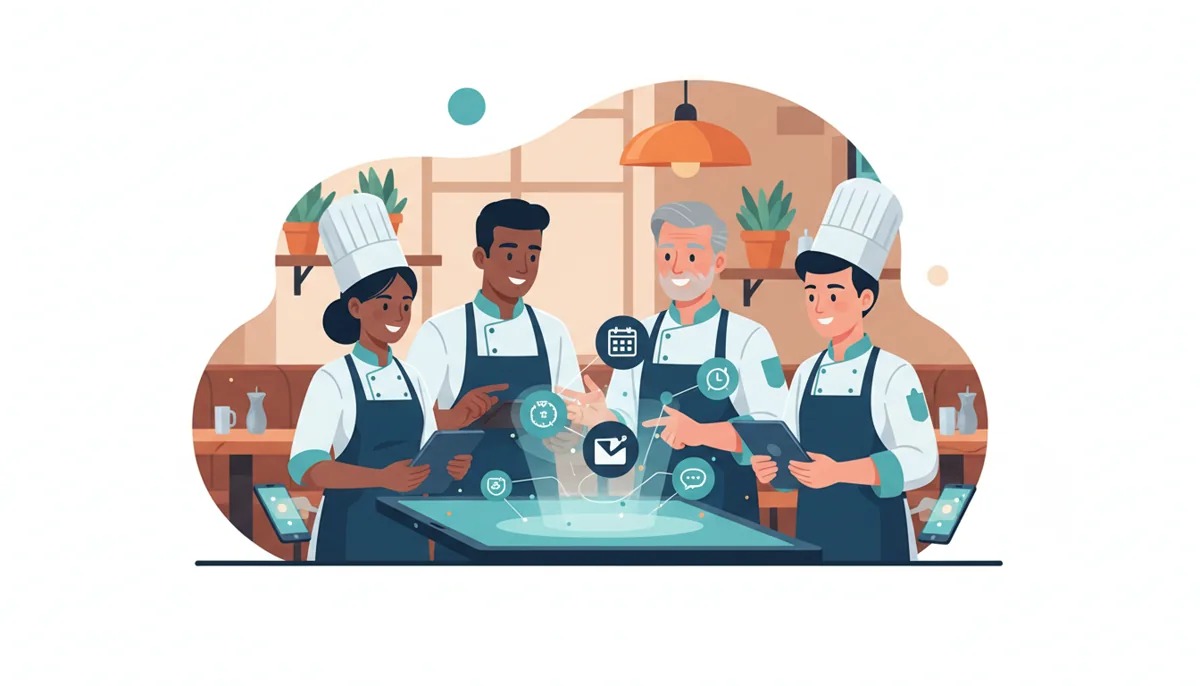
Where WhatsApp automation gives restaurants the fastest return
For restaurants, the biggest automation wins usually happen before and after the dining experience. Before the visit, customers want fast answers about opening hours, location, parking, menu items, table availability, delivery areas, and reservation changes. After the visit, restaurants need a reliable way to collect feedback, encourage repeat orders, and bring satisfied customers back without sounding spammy.
The practical goal is not to build a complicated chatbot on day one. It is to remove repetitive replies, protect staff time during busy service windows, and create a more consistent customer journey. If your restaurant also needs campaign setup, offer positioning, tracking, or landing pages, connect the automation plan with Media87 digital marketing services at Media87 so WhatsApp becomes part of the wider growth system rather than a standalone tool.
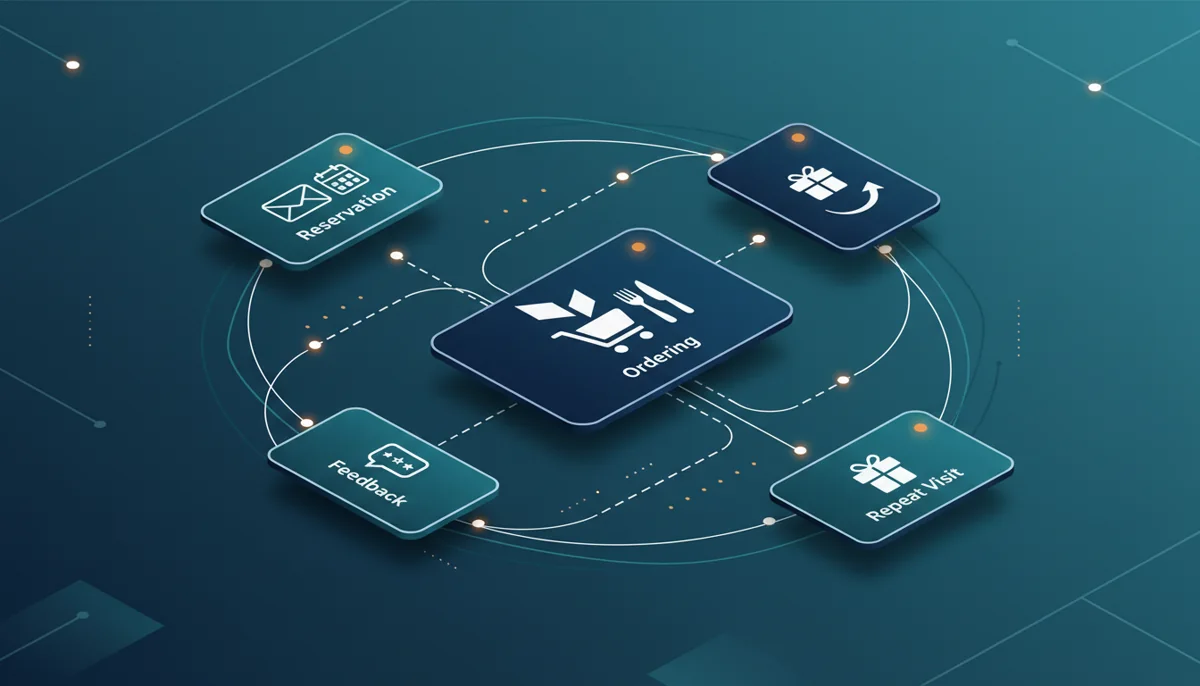
| Restaurant workflow | Automation to add | Human handoff trigger |
|---|---|---|
| Reservations | Confirm date, time, party size, branch, and cancellation policy. | Large group bookings, private events, or special seating requests. |
| Menu and ordering | Send menu links, popular dishes, delivery radius, payment options, and order-status prompts. | Allergy concerns, custom orders, refund questions, or unavailable items. |
| Promotions | Collect opt-ins and send targeted lunch, weekend, or loyalty offers. | Customer asks for a custom package, catering, or corporate meal plan. |
| Feedback | Ask for a simple rating, route low ratings to management, and invite happy customers to review. | Complaint, refund demand, food-quality issue, or service recovery case. |
| Repeat visits | Segment customers by interest and send useful reminders at sensible intervals. | VIP customer, high-value booking, or account-specific preference. |
A simple implementation framework for restaurant owners
List the 20 messages your team answers every week. Start with hours, booking, menu, delivery, parking, offers, and feedback.
Use buttons, quick replies, and clear menus. Avoid long chatbot conversations that make hungry customers work too hard.
Track response time, booking confirmations, opt-ins, order recovery, review requests, and how often customers need human support.
Common mistakes to avoid
The most common mistake is trying to automate every conversation immediately. Restaurants should protect trust first: be transparent that automation is being used, make it easy to reach a real person, and avoid sending promotions too often. A short useful answer is better than a long scripted reply that feels like a wall of text.
Another risk is launching without staff process changes. If WhatsApp captures catering leads, private dining requests, or complaint alerts, someone must own the follow-up. Automation can surface the opportunity, but the restaurant still needs a service standard for response time, tone, escalation, and record keeping.
Questions to ask before choosing a WhatsApp automation setup
- Which customer questions take the most staff time today?
- Do we need reservations, ordering, delivery updates, promotions, feedback, or all of them?
- Where should urgent or sensitive conversations be handed to a person?
- How will opt-ins, unsubscribes, and message frequency be controlled?
- Which metrics will prove that automation is improving service rather than creating friction?
- Who on the team will review failed conversations and improve the flow monthly?
FAQs
Can WhatsApp automation replace restaurant staff?
No. It should reduce repetitive replies and route simple requests, while staff still handle complaints, special requests, high-value bookings, and hospitality-sensitive moments.
What should restaurants automate first?
Start with reservations, menu links, opening hours, location, delivery questions, feedback requests, and opt-in promotions. These are frequent enough to justify automation and simple enough to control.
How do restaurants avoid annoying customers?
Get clear opt-in consent, send useful messages only, keep promotions relevant, and make unsubscribe or human support easy to find.
What metrics should be tracked?
Track response time, booking confirmations, missed-message reduction, opt-in growth, repeat orders, feedback completion, review requests, and escalations to staff.
Is WhatsApp automation useful for small restaurants?
Yes, if the setup is focused. A small restaurant can benefit from simple FAQ, booking, feedback, and repeat-visit flows before investing in complex integrations.
Need a practical setup plan? Media87 can help restaurants turn WhatsApp into a clearer customer-service and repeat-order channel, with automation that supports the team instead of creating robotic conversations.